How to Monitor and Auto Adjust AWS Service Quotas?


Running into AWS service quota limits can cause troubles or even downtimes. Therefore, the announcement of Service Quotas Automatic Management in October 2025 caught my attention. My idea was to add service quota observation to our event-driven monitoring solution for AWS called marbot. Here is what I learned from taking a look into the details of Service Quotas Automatic Management.

What is Service Quotas Automatic Management?
AWS released Service Quotas Automatic Management on Oct 7, 2025 to provide a solution for monitoring and automatically adjusting service quotas.
Service Quotas Automatic Management comes with the following features.
- Send notifications about service quotas
- 80% utilization
- 95% utilization
- Auto-adjust service quota
How to enable Service Quotas Automatic Management?
Unfortunately, neither CloudFormation/CDK nor Terraform supports enabling automatic management for service quotas.
The following command shows how to enable notifications when reaching service quotas with the help of the AWS CLI. Alternatively, you could use the AWS Management Console as well as the API.
aws service-quotas start-auto-management --opt-in-level ACCOUNT --opt-in-type NotifyOnly |
In case you want to automatically increase service quotas, use the opt-in type NotifyAndAdjust.
aws service-quotas start-auto-management --opt-in-level ACCOUNT --opt-in-type NotifyAndAdjust |
How to receive notifications when service quotas are close?
Service Quotas Automatic Management supports the following services to deliver notifications.
- AWS Health (Default)
- AWS User Notifications (Default)
- AWS Console Mobile App
- Amazon Q Developer chat
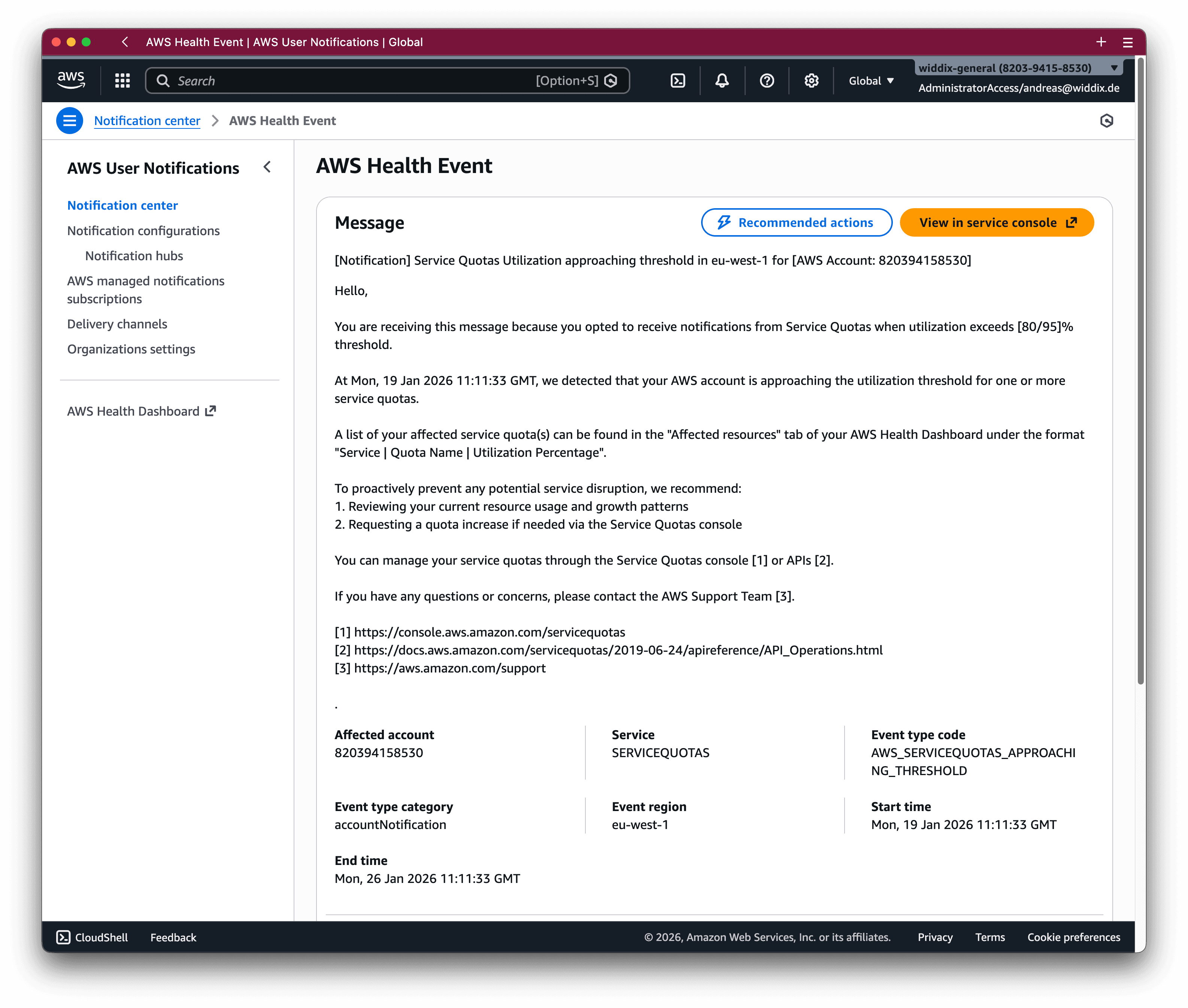
The following screenshot shows a service quota notification delivered by the AWS User Notifications service.
Also, it is possible to subscribe to events from Service Quotas Automatic Management via AWS EventBridge. The source of the events is aws.health. Use the eventTypeCode for more detailed filtering.
{ |
The following snippet shows an example of a Service Quotas Automatic Management event.
{ |
It’s a pity that the event is not very well designed. For example, it should include the quote code and service code, as this would allow you to call the RequestServiceQuotaIncrease API action automatically. Instead, all we get from the event details is the affected resources—for example Service: dynamodb | Quota Name: Maximum number of tables | Utilization: 82.56% - and an ID/link to the AWS Health notification.
Also, AWS not only sends a notification once for getting close to or breaching a service quota. Instead, AWS repeats sending a notification every 24 hours. So you need to implement deduplication to avoid notifications piling up.
How to increase AWS service quotas automatically?
Service Quotas Automatic Management comes with the ability to auto-adjust service quotas. Unlike manual quota increases, auto-adjust requests are handled through a specialized, automated workflow that does not require an AWS Support case.
In case a quota increase fails, you will receive a notification, but specific rejection details aren’t available.
Unfortunately, the feature is not working correctly. For testing, I created 50 AppSync GraphQL APIs to reach the service quota. However, the auto-adjustment did not work. I’m still waiting for a response from the AWS service team.
Limitations of Service Quotas Automatic Management
Even though you are using Service Quotas Automatic Management, you might run into issues caused by reaching service quotas.
First, Service Quotas Automatic Management does not support all quotas. Monitoring and notifications are only available for a subset of all service quotas. And only a subset of that supports auto-adjust.
To get a list of all supported quotas, go to the tab Automatic Management in the Service Quota management console and press the View supported quotas button.
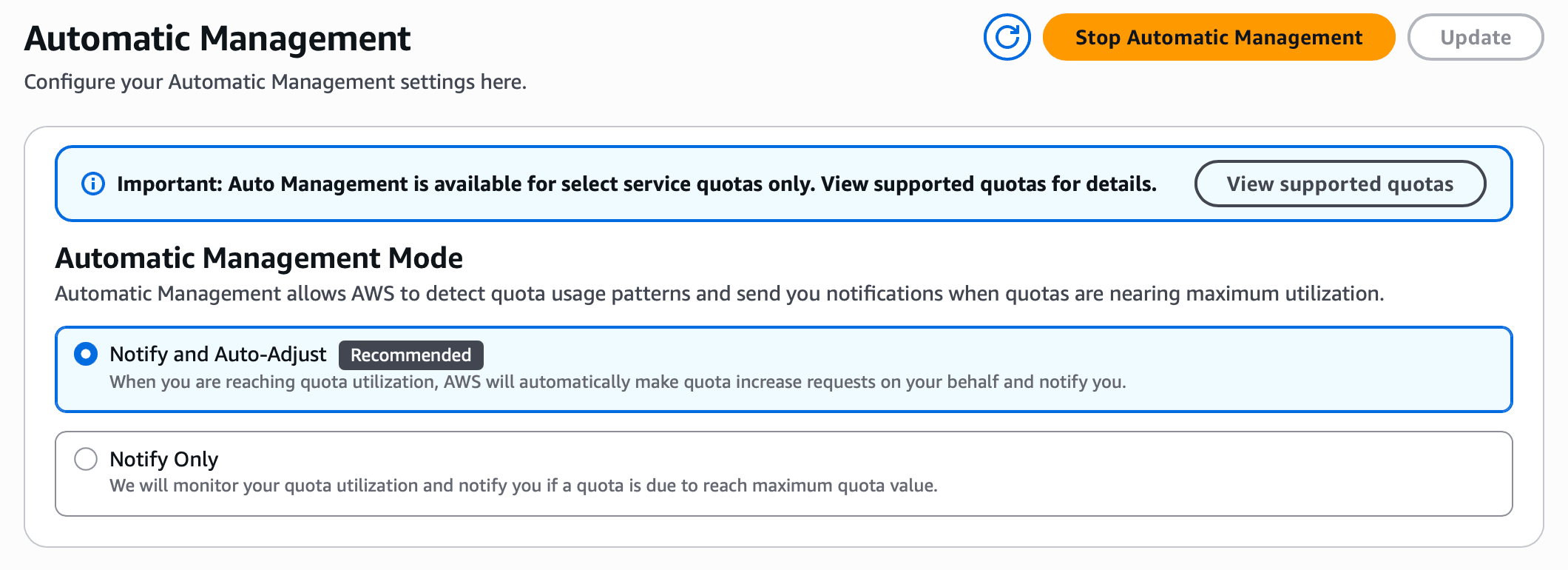
For example, Automatic Management supports only three of the DynamoDB quotas. And auto-adjusting is not available at all for DynamoDB quotas.

Second, it takes between one and three hours until Automatic Management detects that a service quota is reached. The relatively long response time can lead to problems occurring during operation even before this point.
Summary
The monitoring of service quotes has become a lot easier with Service Quotas Automatic Management. Notifications allow you to increase service quotas before they affect workloads. The ability to auto-adjust quotas is even more convenient. Unfortunately, the usefulness of both the notifications and the auto-adjustment is limited, as not all quotas are supported. So you cannot rely on the solution.
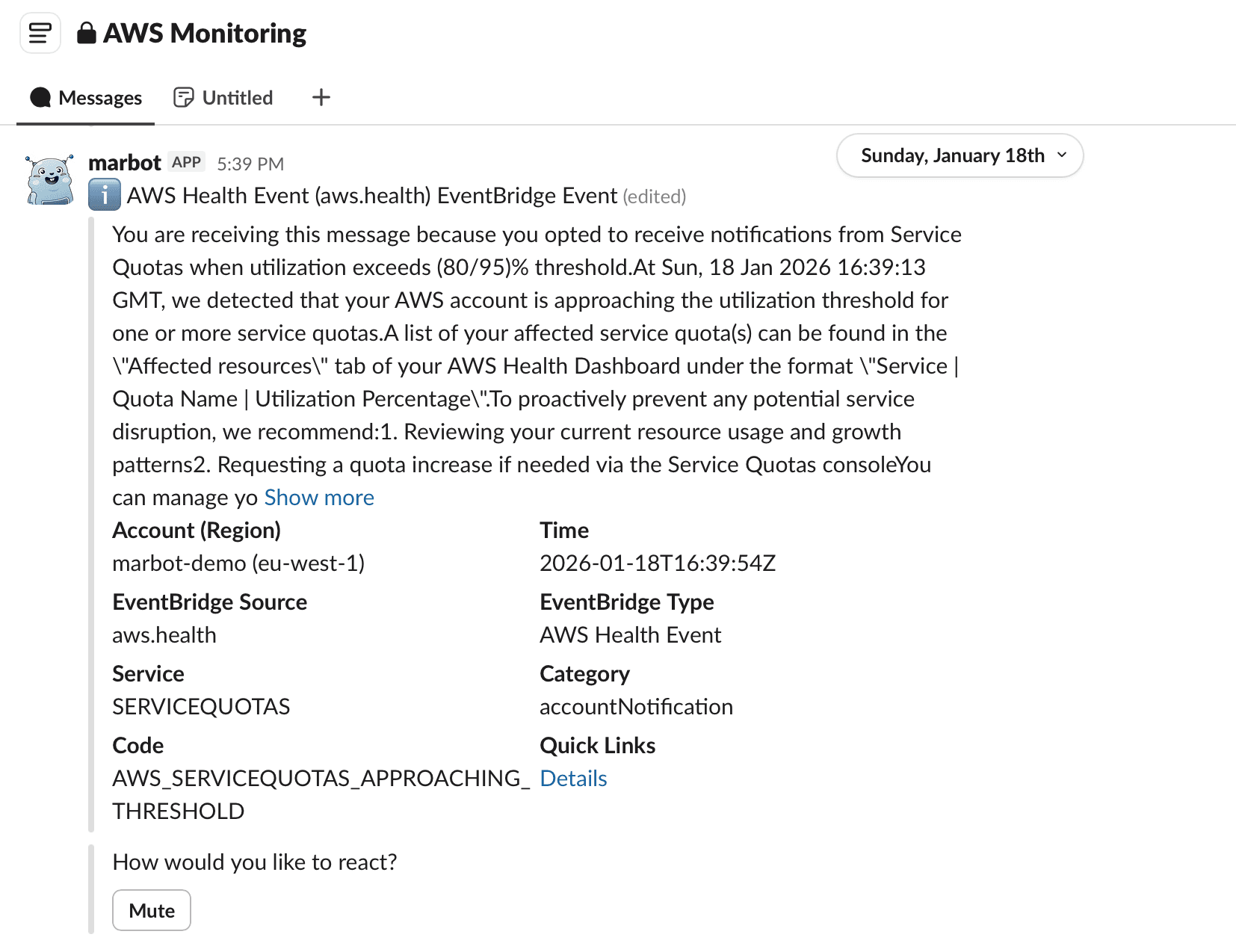
By the way, marbot our solution for AWS monitoring, already supports service quota notifications, as shown in the following screenshot. Did you know that marbot event dedouplicate events? Quite helpful, as Service Quotas Automatic Management sends the same notifications multiple times.
Andreas Wittig

I’ve been building on AWS since 2012 together with my brother Michael. We are sharing our insights into all things AWS on cloudonaut and have written the book AWS in Action. Besides that, we’re currently working on bucketAV, attachmentAV, HyperEnv, and marbot.
Here are the contact options for feedback and questions.